Linux MySQL Database and Windows ODBC Connection SUPER mini-HOWTO
v0.01, Januar 2004
This document provides information on how to setup a Windows-ODBC connection
with a MySQL-Databaseserver running under Linux.
Setup your linux mySQL Database
I assume that you already have your MySQL databaseserver up and running. If not ... do so now. Any
question on how to do this go directly into mysql dot com.
Also you should have received a copy of MyODBC for Windows. If you have not downloaded it yet,
do so now. You also get it at mysql.com.
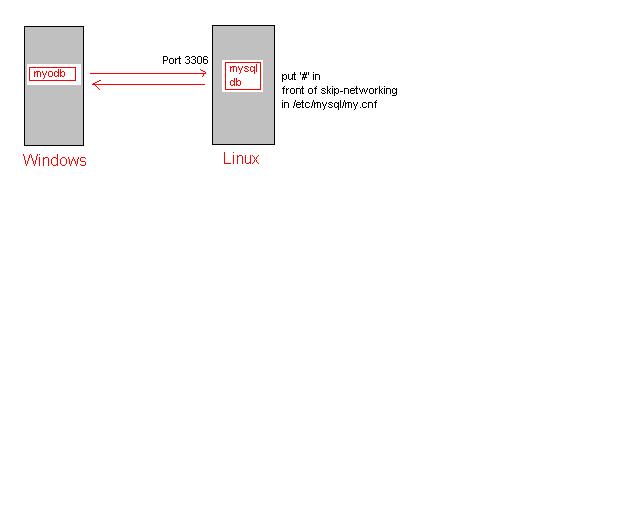
Disable the skip-networking option in /etc/mysql/my.cnf
# The skip-networking option will no longer be set via debconf menu.
# You have to manually change it if you want networking i.e. the server
# listening on port 3306. The default is "disable" - for security reasons.
# skip-networking
Now restart your mysql-Server, e.g. /etc/init.d/mysql restart. Your server
is now listeing on port 3306. Be shure to disable the port on the outside of your
firewall, if you have not done this already.
Setup a user, that can connect from any host in your mysql-database.
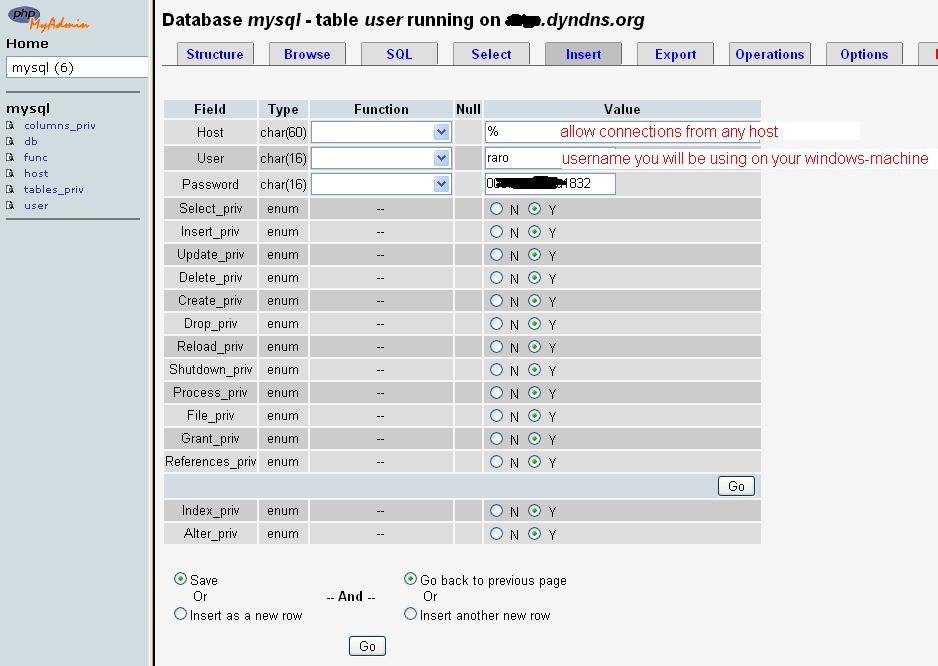
Don't forget to reload your database!
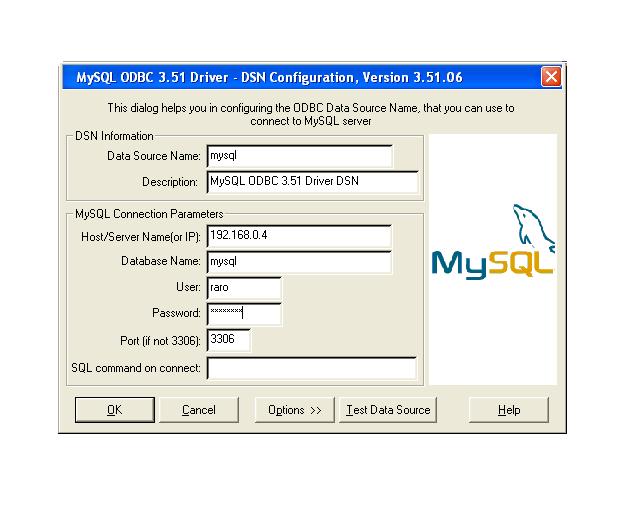
Setup the ODBC-Connection on your Windows-machine.

Small picture of what is runnig where.
Error messages you might get:
10061 ... can't connect ... This means that your linux box is not listeing. Put comment '#' in front of skip-networking.
Access denied for user 'bla@bla' ... This means, that the user you are using in your ODBC-Setup is not in your mySQL-Database. Look at the mysql-db, table 'users' and put a '%' in the host-field. Be shure to reload the database!
mysql@zeitfenster.de ... don't hesitate do mail me. Spam will be fed directly into spamassassin trashcan.